
for your events
- Online Solutions for Events
-

Add Value to your Events with Unique Software Solutions
Add value to your eventsUnique software solutions for events
- Workshops / B2B meetings
-

Meeting Scheduler for B2B Events
Meeting schedulerFor Workshops and B2B meetings

- Conferences / Exhibitions
-

Social & Mobile Networking Solution with Agenda Builder
Event networking softwareFor conferences, expo and exhibitions
- 1000+ events have
used our solutions - Over 1 million
meetings scheduled - Used in more
than 80 countries - Happy & Loyal
event organizers - Highly satisfied
users



Marcom eSchedule PRO is a first class solution for B2B meetings where buyers meet sellers. Your participants will quickly identify prospective business partners with the profile and expertise they are looking for. They will optimize their business matching opportunities with carefully targeted participants.
Marcom eSchedule PRO comes with some unique features:
- Time Matching Wizard
- Priority lists
- Proprietary Meeting Location Manager
- Interactions between schedules
Marcom eSchedule PRO is available in 3 different versions:
 for small to medium size B2B meetings, that only need standard and basic features
 for medium to large size B2B meetings, with some more features needed
 for large size B2B meetings, with customization and specific features needed
Marcom Onsite is an innovative solution optimized for mobile devices. It is the perfect complement to Marcom eSchedule PRO and includes information that is essential to participants during the event. Using Marcom Onsite participants can :
- Access their agenda
- Send messages to other participants
- Schedule last-minute meetings
- Take private notes
- And more…
Compatible with mobile devices
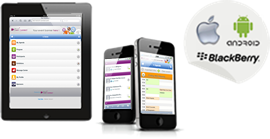
- Automatic detection
- Nothing to download
- Compatible with any platform, mobile and tablets
Our clients






















 © 2000-2024. Marcom Connect - Marcom Consulting SAS. All rights reserved
